

Set up Lyra Recurring and connect Pipedrive
Create your Lyra Recurring account and connect it to your Pipedrive company, so your recurring activities land in Pipedrive.
When you are done, Lyra Recurring is connected to your Pipedrive company and can create recurring activities on your deals, people and organizations. If you installed from Pipedrive, your account already exists: see Install Lyra Recurring from Pipedrive.
If a colleague already uses Lyra Recurring, don't create an account here. See Join your colleagues' Lyra Recurring account.
Create your account
-
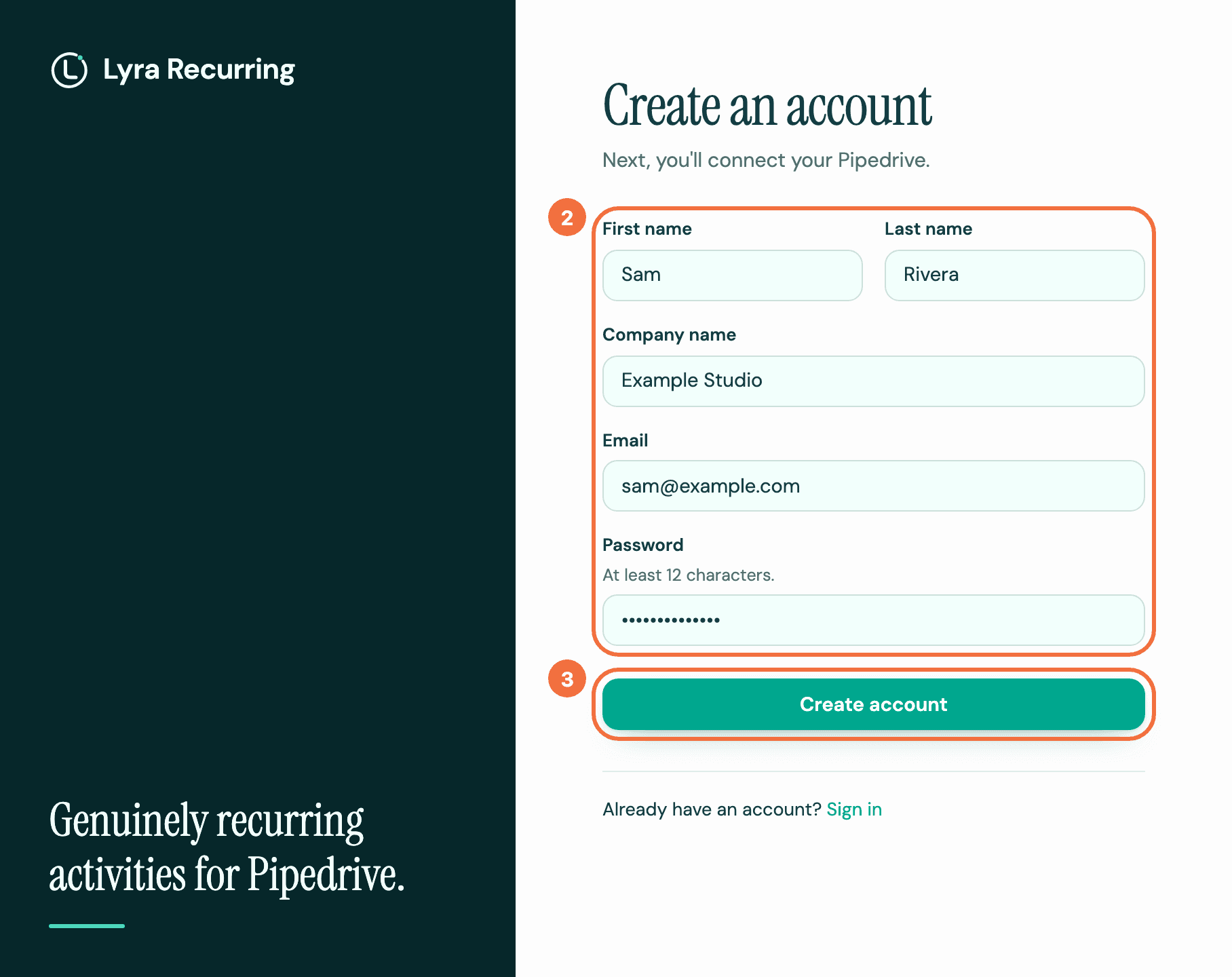
On the Lyra Recurring sign-in screen, select Create an account.
-
Fill in First name, Last name, Company name, Email and Password. The password needs at least 12 characters.
-
Select Create account. Connect your Pipedrive opens.
Connect Pipedrive
-
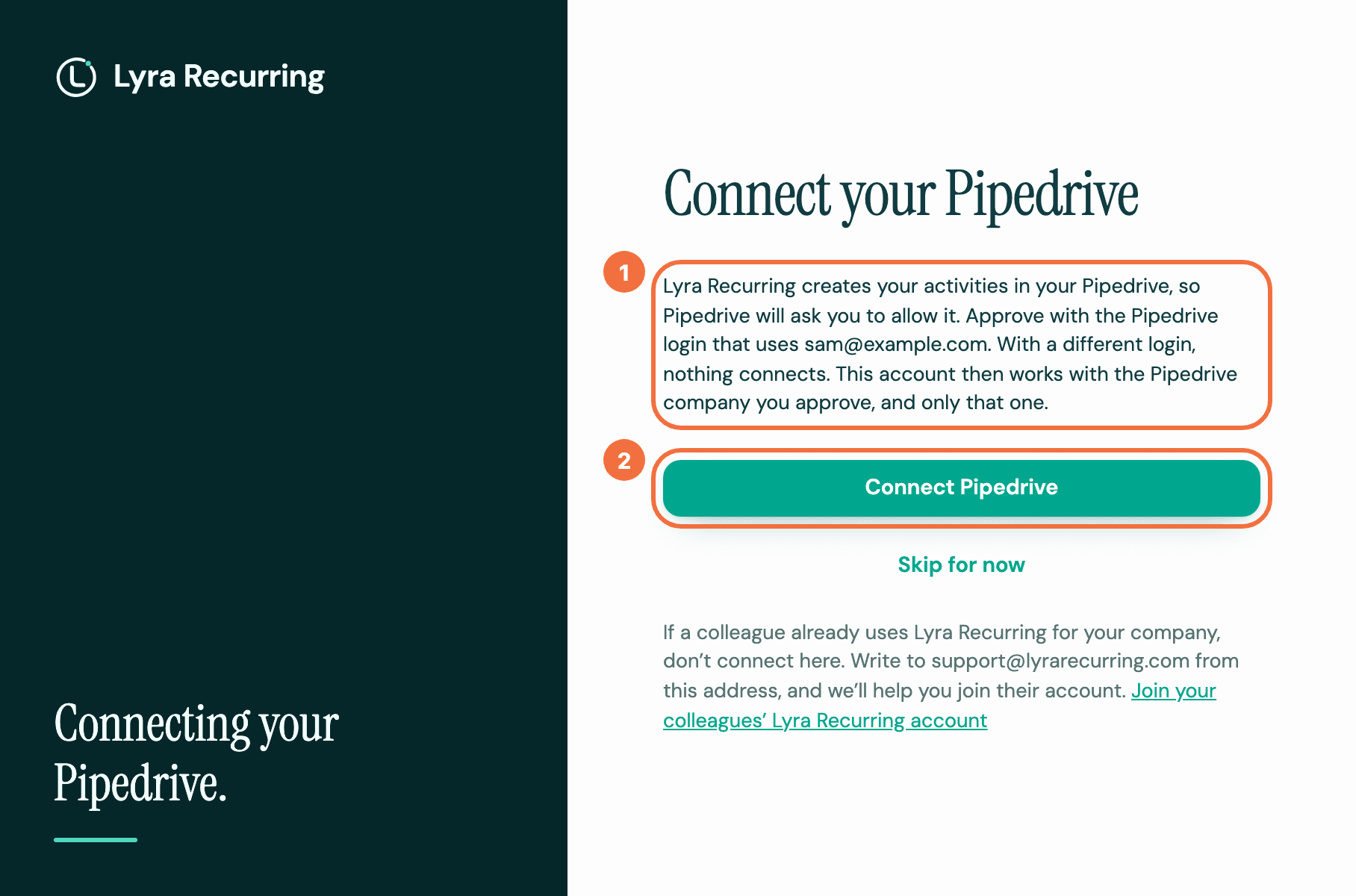
On Connect your Pipedrive, find the email address it names. Approve with the Pipedrive login that uses it: with a different login, nothing connects.
-
Select Connect Pipedrive. Pipedrive opens and asks you to approve the connection.
-
Approve it. Your account then works with that Pipedrive company, and only that one.
-
You come back to a screen saying Connected to and your company's name. Select Get started.
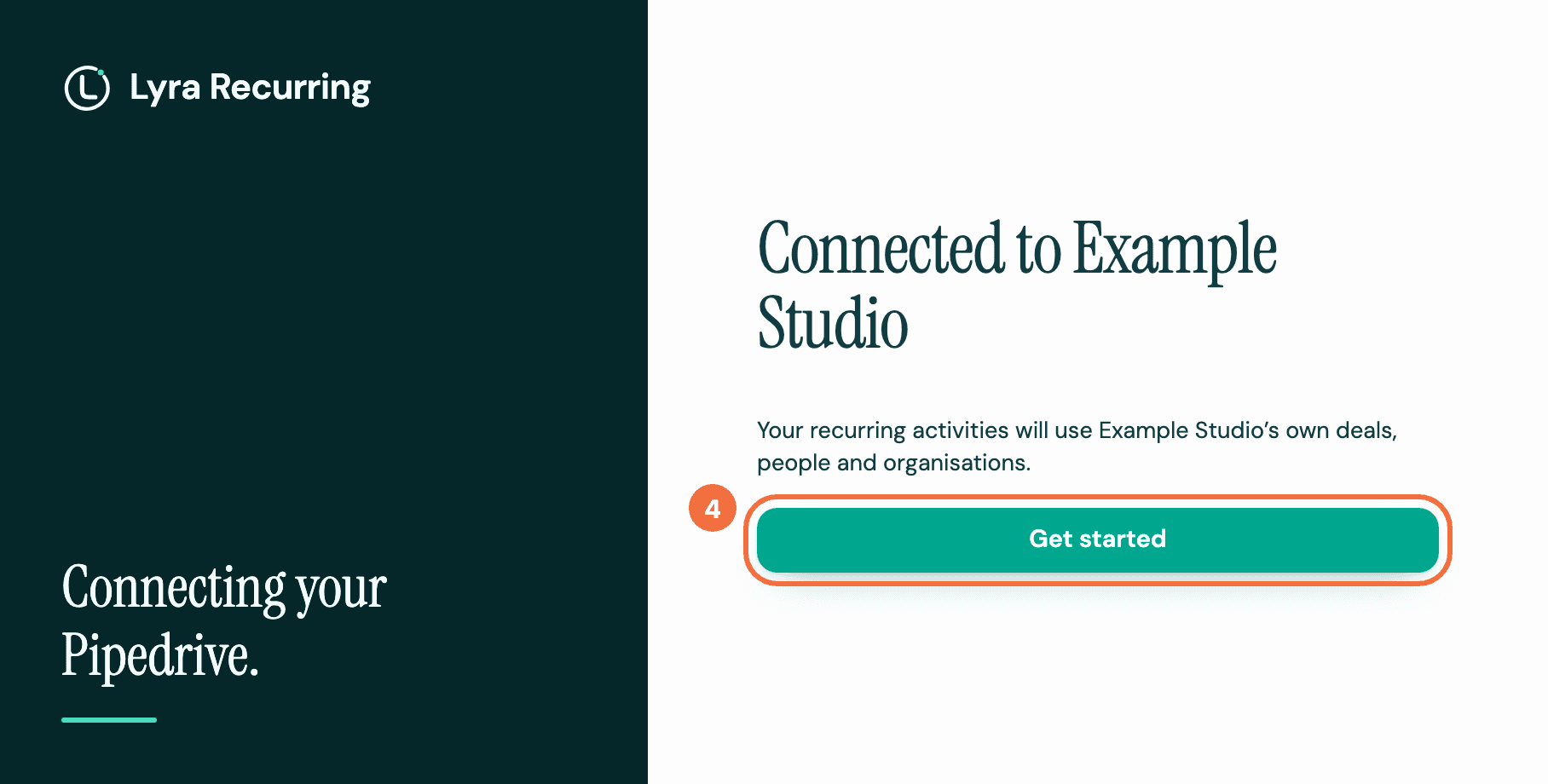
Lyra Recurring now uses your company's own deals, people, organizations and activity types. Getting started opens, with the two ways to add recurring activities. See Choose how to add your first recurring activity.
If you skipped it
Skip for now takes you to Getting started, which says Pipedrive isn't connected yet. until you connect. Select Connect Pipedrive there and approve with the Pipedrive login that uses the email address you signed up with, as in step 1 above. With a different login, nothing connects. Then follow steps 3 and 4. Until you connect, Connect your Pipedrive opens each time you sign in.
Recurring activities you create before connecting are kept. When you connect, their open activities due that day or later are sent to Pipedrive. Ones whose date had already passed are not: add them in Pipedrive if you still need them.
If it does not work
- You see We couldn't finish connecting. The screen says why. Most reasons can be fixed by selecting Try again, or select Go to recurring activities and connect later. See Connecting Pipedrive did not finish.
- You see This address already has an account. Your Pipedrive company already has a Lyra Recurring account, so nothing was connected. See Join your colleagues' Lyra Recurring account.
- Your Pipedrive login uses a different email address from the one you signed up with. Write to support@lyrarecurring.com from the address you signed up with.