

I marked an activity done and the next one did not appear
The next one didn't show up after you marked a recurring activity done, or a recurring task was not created when you expected. Why, and how to get the next activity.
You marked an activity done and the next one didn't show up. Check these in order.
1. Was Pipedrive reporting changes when you marked it done?
Go to Settings and look at Reporting changes. If it says Off and Pipedrive is not reporting changes, Lyra Recurring did not hear that you marked the activity done. Select Register, or Try again if it failed before.
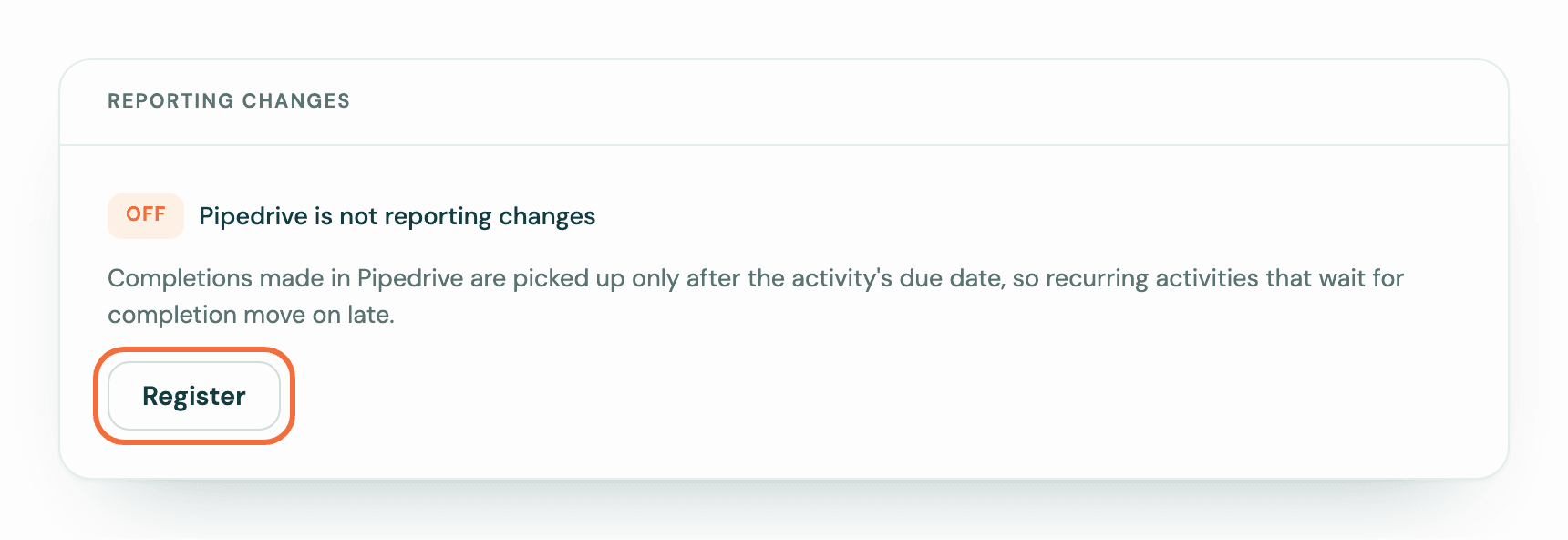
Lyra Recurring then checks with Pipedrive the open activity of every recurring activity that waits for completion. If that activity was marked done or deleted in Pipedrive in the last 30 days, the next one is created. It is due on the date the schedule gives, so it may already be past due.
Lyra Recurring also checks by itself once a day, after an activity's due date has passed. If you marked it done before its due date, it is picked up the day after that date.
2. Is there a sentence under its subject?
When Lyra Recurring cannot check an activity whose due date has passed, the recurring activity says why. The sentence is under its subject on Recurring activities, on its own screen, and under its row in the Pipedrive panel.
- …'s Pipedrive connection has ended, so we can't check this activity — ask them to reconnect. The colleague who owns it has lost their connection. Ask them to go to Settings and select Connect Pipedrive. If they have left, change its Owner to someone who is connected; it is checked again the next day. If they can't see the activity in Pipedrive, reassign it there too.
- Your Pipedrive connection has ended, so we can't check this activity — reconnect to continue. Select reconnect in the sentence, then Connect Pipedrive, and approve with your Pipedrive login. In the Pipedrive panel, select Reconnect.
- This activity was deleted or reassigned in Pipedrive — assign it …, or delete this recurring activity and start a new one. Pipedrive no longer shows the activity to its owner. If it was given to someone else, assign it back to the owner in Pipedrive. The sentence names the owner, says to yourself when that is you, or says back to its owner when it can't show their name. To see who that is, open the recurring activity on the Lyra Recurring site, select Edit, and look at Owner. If it was deleted, delete the recurring activity and create a new one.
- This activity was marked done over 30 days ago — reopen it in Pipedrive, then mark it done again. In Pipedrive, open the activity, mark it as not done, then mark it done again. It is picked up straight away if Reporting changes is On, otherwise the next day.
After you fix it, the sentence stays until Lyra Recurring checks the activity again. It is gone within a day.
3. Does it follow the calendar?
A recurring activity set to Following the calendar creates the next one when its date has passed, or when you mark it done while Pipedrive is reporting changes.
4. Has it finished?
Open it. If the sentence under the title says This schedule has finished, it has reached its end date or its number of occurrences. Edit it to extend it.
5. Is it deleted, or is Pipedrive disconnected?
A deleted recurring activity creates nothing. Neither does any recurring activity while Pipedrive is disconnected. See Delete a recurring activity, or bring one back and Lyra Recurring says Pipedrive is disconnected.
6. Was the activity deleted in Pipedrive instead of marked done?
Deleting it in Pipedrive cancels it here once Lyra Recurring hears about it, or finds it within 30 days of the deletion. A recurring activity that waits for completion is then no longer held up by it. A deletion found later shows the deleted or reassigned sentence in step 2.
7. Did the next one go to a skipped date?
If you skipped occurrences, the next activity is due after them. The recurring activity's screen shows when.
Lyra Recurring says my company's account has been closed
What it means when the Pipedrive panel or the sign-in screen says your company's Lyra Recurring account has been closed, and what to do next.
Lyra Recurring says Pipedrive is disconnected
Why you see "Pipedrive is disconnected. Nothing new is being created.", what it means for your activities, and how to reconnect.