

Repeat activities you already have, from the Activities list
Select up to 20 activities in Pipedrive's Activities list and make each one a recurring activity, without typing them in again.
When you are done, each activity you selected has its own recurring activity in Lyra Recurring, filled in from it, and the activities themselves are unchanged.
-
In Pipedrive, open the Activities list and select up to 20 activities with their checkboxes.
-
Open the list's More actions menu (⋯) and choose Repeat with Lyra Recurring. A window opens over Pipedrive.
-
Set the repeat:
- With one activity selected, the usual form opens, filled in from it. Check it and change what you need.
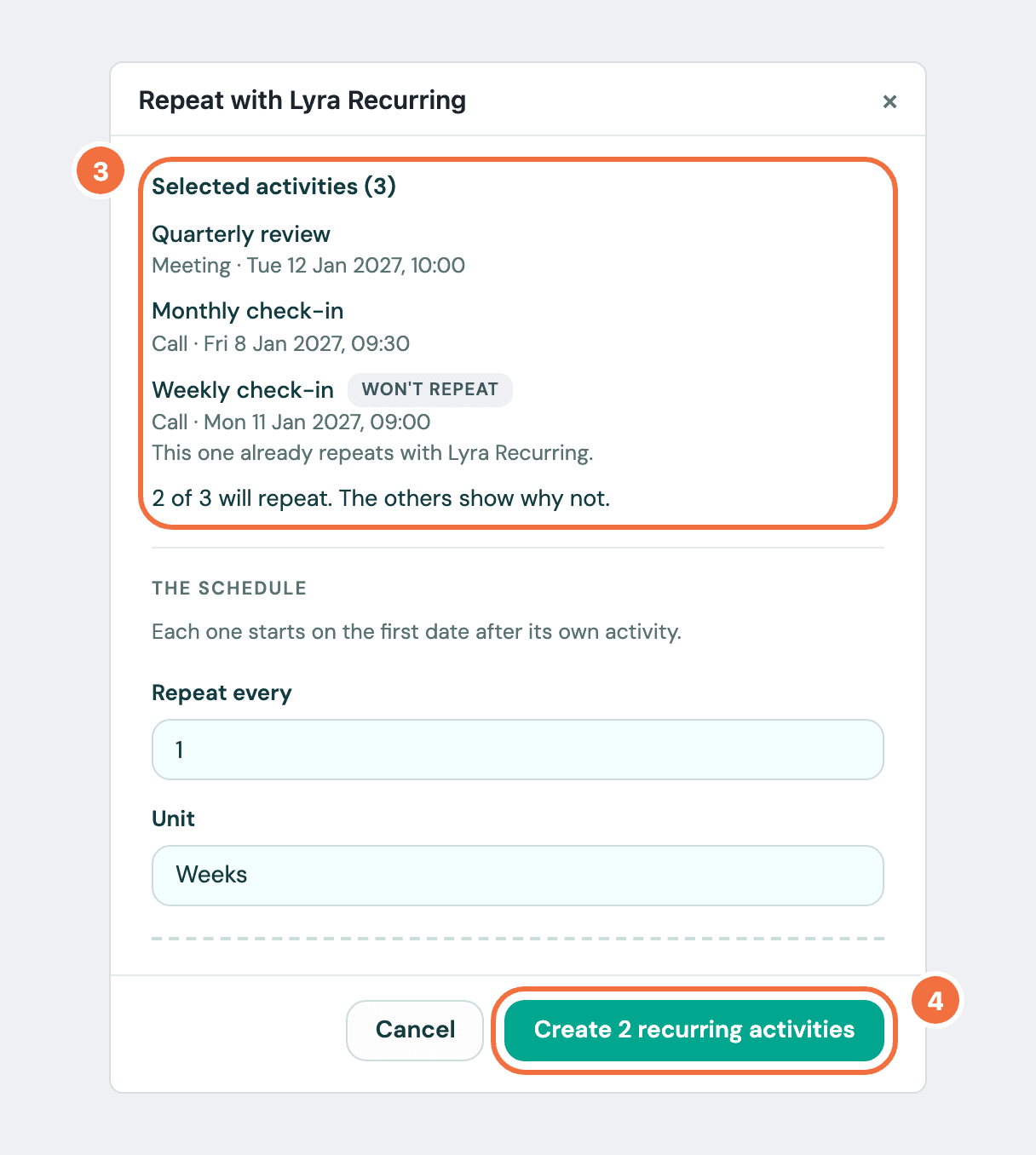
- With several, Selected activities lists them, and below it you set one repeat for all of them under The schedule.
-
Select Create recurring activity. With several, the button says how many it will create.
The window says what was created, with Created or Not created beside each activity, and The activities you selected are unchanged. Select Close, or Open Lyra Recurring to see them there.
What each recurring activity takes from its activity
Its type, subject, owner, time, duration, location, note, public description, busy setting, and its deal, person and organization. Participants are not added, and the window says so.
The time is the one Pipedrive shows you, and the recurring activity uses your time zone. To use another, see Make an activity land at the right time in another time zone.
When each one starts
On the first date of the repeat after its own activity, so the activity you selected is never repeated twice. If that activity's date has passed, it starts on the first date on or after today. The form says which, under Starts on.
If it does not work
- An activity shows Won't repeat. The line under it says why. See Questions about Lyra Recurring.
- An activity shows Won't repeat with Its type was added in your Pipedrive account. Lyra Recurring repeats calls, meetings, tasks, deadlines, emails and lunches. To repeat the activity, change its type in Pipedrive to one of those six, then select it again.
- An activity shows Not created with Pipedrive could not be reached. Try again shortly. Select Try again. Only those are sent again.
- The window says you selected more than 20, or all the activities in a filter. Select 20 or fewer, one at a time, and choose Repeat with Lyra Recurring again. Nothing was created.
See who has connected Pipedrive, and remove a connection
Check that Lyra Recurring is connected, who in your company has connected, and remove someone's connection safely.
Make an activity repeat every year
Set a recurring activity for a birthday, a renewal or an anniversary, due on the same date every year.