

Turn off, change or delete a deal rule
Stop a deal rule or change it, see which deals it gave a recurring activity, and know what happens to the ones it already made.
When you are done, the rule is off, changed or deleted, and the recurring activities it already made carry on as they are.
- Select Deal rules in the menu, then the rule's sentence.
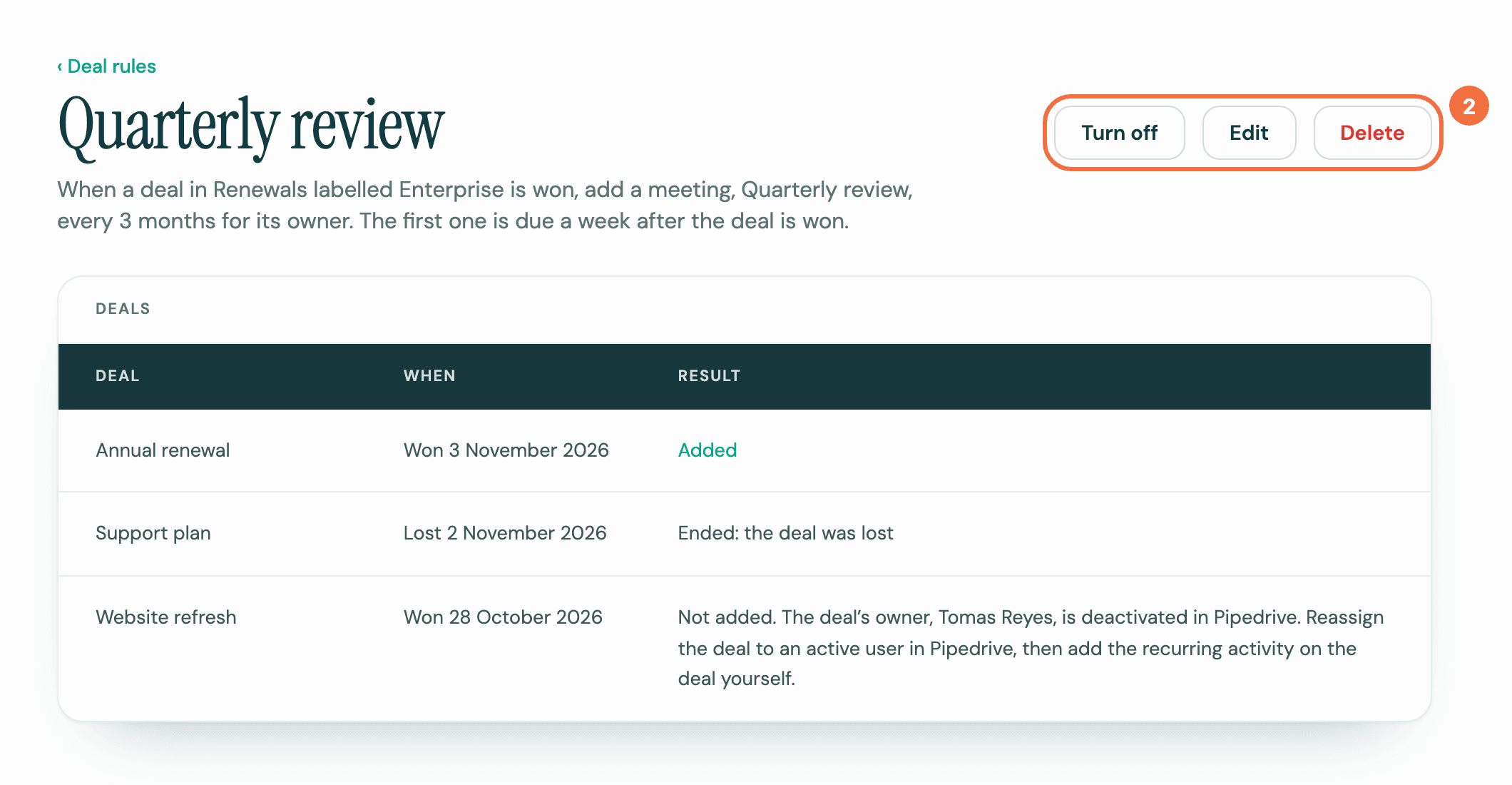
- Select Turn off, Edit or Delete at the top:
- Turn off: no new deal gets it. Turn on starts it again for deals from then on. Deals that matched while it was off don't get it.
- Edit: change the form and select Save rule. The change applies to deals from now on.
- Delete: read the dialog and select Delete. The rule is gone from Deal rules.
What happens to what it made
Nothing changes on the recurring activities it already made, whichever you choose. They keep their subject and schedule. To change one, open it and edit it like any other.
They still end when their deal is lost or deleted. For a lost deal, Lyra Recurring then shows the current activity as Cancelled, but in Pipedrive it stays open until you delete it. A deleted deal's activities are deleted by Pipedrive with it. A recurring activity whose rule was deleted says Made by a deal rule that has since been deleted.
See what a rule did
On Deal rules, each rule shows On, Off or Needs attention, how many deals it Applied to, and how many it could not, under Not added.
On the rule's screen, Deals lists each deal it gave a recurring activity, or could not, with When and Result. Added opens the recurring activity. For a deal Not added, see A deal did not get its recurring activity.
Needs attention
The rule's pipeline, stage or label was deleted in Pipedrive, so no deal can match it. Select Edit in the notice and choose another, or select Turn off to stop the rule.
Who can change a rule
Everyone in your company sees every rule, and anyone can turn it off, change it or delete it.
If it does not work
Turning a rule off or on works even when Pipedrive isn't answering, and when your account is disconnected. A rule that needs attention can be turned off too.
- The rule could not be turned off. Try again. or The rule could not be turned on. Try again. It could not be saved. Check your internet connection and select the button again.
- The rule could not be deleted. Try again. Try again in a moment.
Make a recurring activity stop on a date or after a number of times
Set an end to a recurring activity, so it stops after a given date or once it has happened a set number of times.
Create the next activity only when the last one is done
Choose whether a recurring activity follows the calendar, or waits until you mark the previous activity done in Pipedrive.