

Start a recurring activity from a date that has passed
Give a start date in the past and choose whether to create the activities it missed, or start from the next one.
When you are done, your recurring activity runs on its rhythm from the date you gave, and you decided what happens to the dates already behind you.
- Select New recurring activity and fill in the activity.
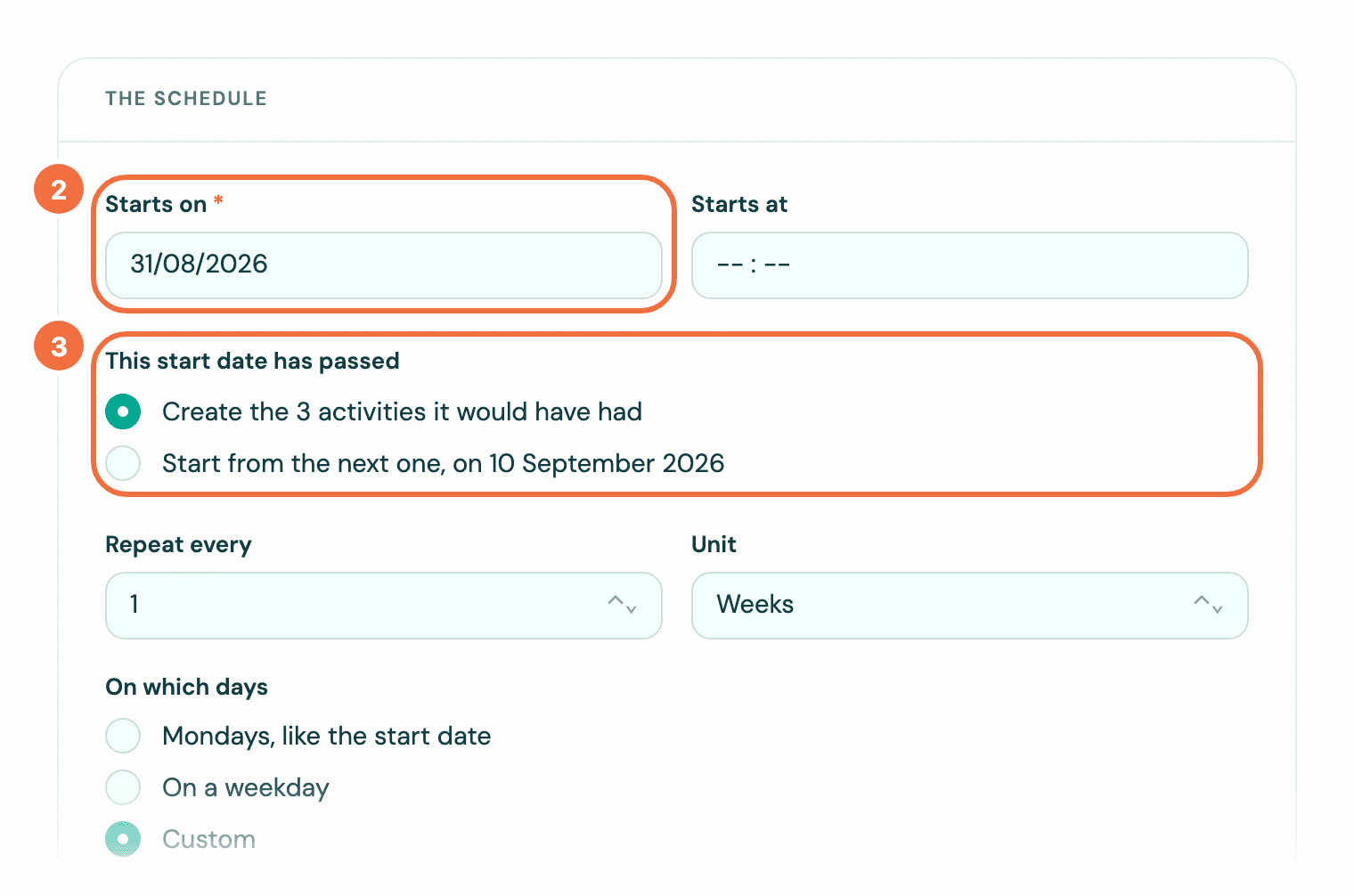
- In Starts on, pick a date that has passed.
- A question appears: This start date has passed. Choose one:
- "Create the 3 activities it would have had" (the number is how many it missed): every missed activity is created, dated in the past.
- Start from the next one, on and a date: nothing is created for the past. The first activity is due on the next date the schedule reaches.
- Read the list under the sentence at the bottom of the form. It shows what saving will do: with the missed ones created, the first line counts them, for example "When you save, 3 past-due activities are created at once: Mon 31 Aug to Mon 7 Sep." for the Mon and Thu one below. With Start from the next one, on, the list begins at that date, "Thu 10 Sep", and the sentence's "from" names it too. See Check a recurring activity's dates before you save.
- Select Create recurring activity.
Why the next date is not today
The schedule keeps its rhythm from your start date. A fortnightly call that started six weeks ago continues on its fortnightly dates, not from today.
A weekly one on several days counts every day you ticked. Started on Monday 31 August 2026 on Mon and Thu, on Wednesday 9 September it offers "Create the 3 activities it would have had", or Start from the next one, on 10 September 2026, the Thursday.
If it stops after a number of times
The missed activities you create count towards the number. With Start from the next one, on, the ones it passed do not: the list counts from that date as from a first activity. When every activity the number counts is already in the past, there is no question: all of them are created at once, and the list says so, for example "When you save, all 5 are created at once, already past due: Thu 14 Mar 1985 to Tue 14 Mar 1989. None comes after them." If that is not what you meant, you typed a date of birth: change Starts on before you save.
When the question does not appear
It does not appear when the start date is today or later, or when you chose When the previous activity is marked done. In that second case, the first activity is due on the start date you gave, however long ago. For a birthday or another yearly date, start from the coming one: see Make an activity repeat every year.
After you create it
A start date that has passed can no longer be changed. The edit form says so under Starts on.
If it does not work
- A start date very far in the past is refused when you choose Start from the next one, on. Pick a more recent start date.
Skip the next few activities
Skip one or more upcoming activities of a recurring activity, for a holiday week or a quiet month, without stopping it.
Make a recurring activity stop on a date or after a number of times
Set an end to a recurring activity, so it stops after a given date or once it has happened a set number of times.