

Make an activity repeat every year
Set a recurring activity for a birthday, a renewal or an anniversary, due on the same date every year.
When you are done, you have a recurring activity due on the same day and month every year, or every few years.
- Open the form: New recurring activity, or Edit on an existing recurring activity.
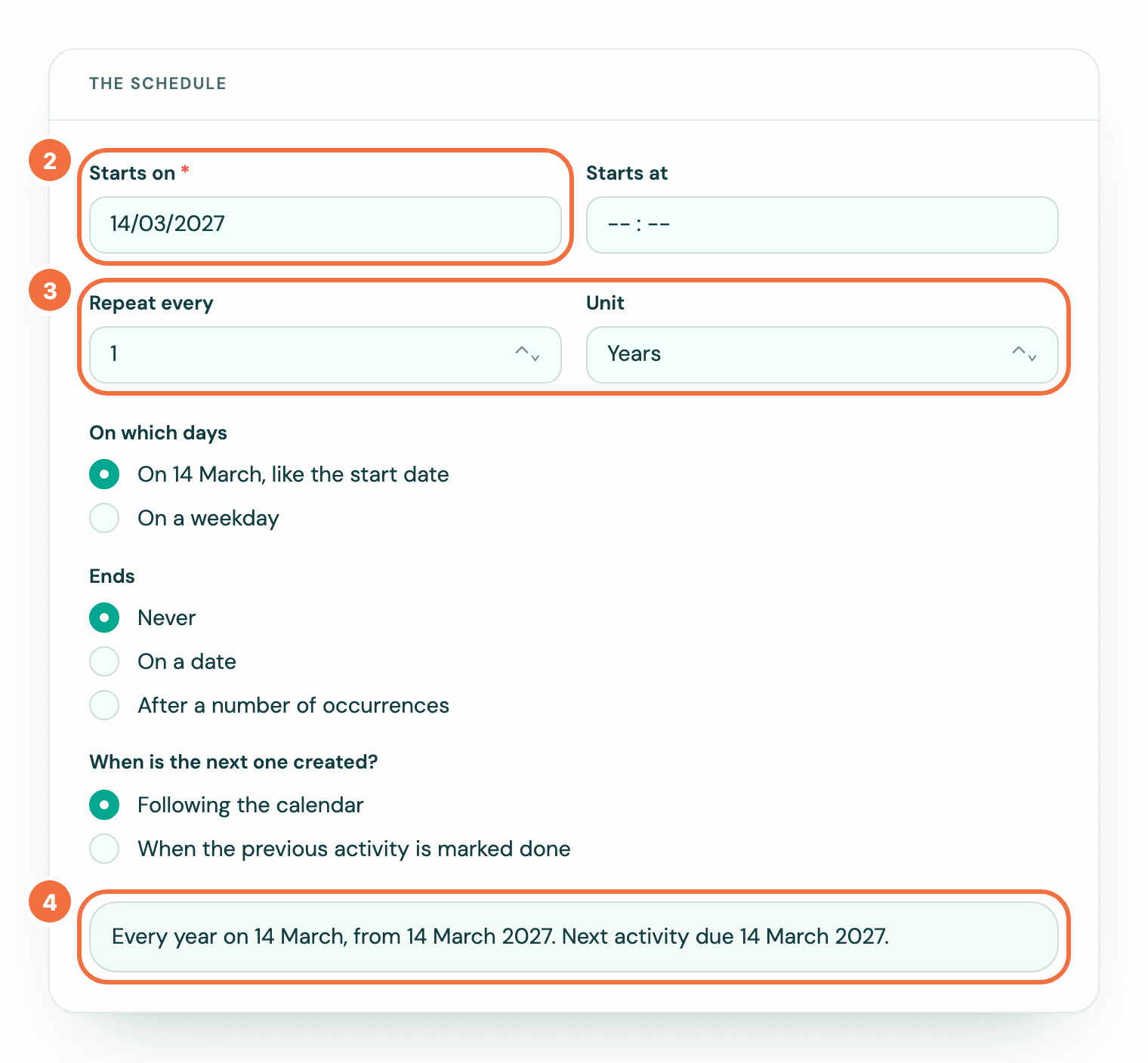
- In Starts on, pick the date of the next one. For a birthday, that is the coming birthday, not the date of birth.
- In Repeat every, type 1, and choose Years in Unit. For every two years, type 2.
- Read the sentence at the bottom of the form. It names the date, for example "Every year on 14 March". Under it, the list shows the next five, and a date that moved says so, for example "Mon 15 Mar 2027 (moved from Sun 14 Mar)". See Check a recurring activity's dates before you save.
- Save.
Why the coming birthday, not the date of birth
A start date in the past counts every year since then. The list under the sentence shows it: with the missed ones created, its first line counts how many are created at once. With Following the calendar, the form asks This start date has passed, and you can choose Start from the next one, on. With When the previous activity is marked done, nothing is asked, and the first activity is due on the date you entered, decades ago.
29 February
A recurring activity starting on 29 February is due on 28 February in other years, and on the 29th in leap years. The sentence says using 28 February in years without a 29th, and the list names each year it applies to, for example "Wed 28 Feb 2029 (2029 has no 29 February)".
What is different with years
- On which days offers two choices, not Custom: the start date's day and month, for example "On 14 March, like the start date", and On a weekday. Choosing Years while Custom is chosen switches it to the first. With On a weekday, a date on a weekend moves to the Monday for that year only. The line under On a weekday says so, and so does the sentence: "Every year on 14 March, a weekend date moves to the Monday".
- With When the previous activity is marked done, the next one is still due on the date. A birthday call done three weeks late has its next one due on the birthday.
Repeating every 12 months
A recurring activity set to 12 Months is due on the same dates as one set to 1 Years, and its sentence reads Every year on and the date. With Custom days it stays in months, for example "Every 12 months, a date that is not a Monday moves to the next Monday". Its edit form still shows 12 Months, and the Repeats filter finds it under Months, not Years.
In the list
In Recurring activities, the Repeats column shows the date it repeats on, for example "Every year on 14 Mar", and below it in grey when it runs, for example "From 14 Mar 2027". The next activity's date is in the Next column.
If it does not work
- The first activity is dated years ago. A start date that has passed cannot be changed, so delete the recurring activity, delete that activity in Pipedrive, and create the recurring activity again from the coming date.
Repeat activities you already have, from the Activities list
Select up to 20 activities in Pipedrive's Activities list and make each one a recurring activity, without typing them in again.
Make an activity repeat only on weekdays or chosen days
Keep recurring activities off weekends, or limit them to the days you pick, such as Monday and Thursday.